Smart Home Starter Guide: First Gadgets to Try
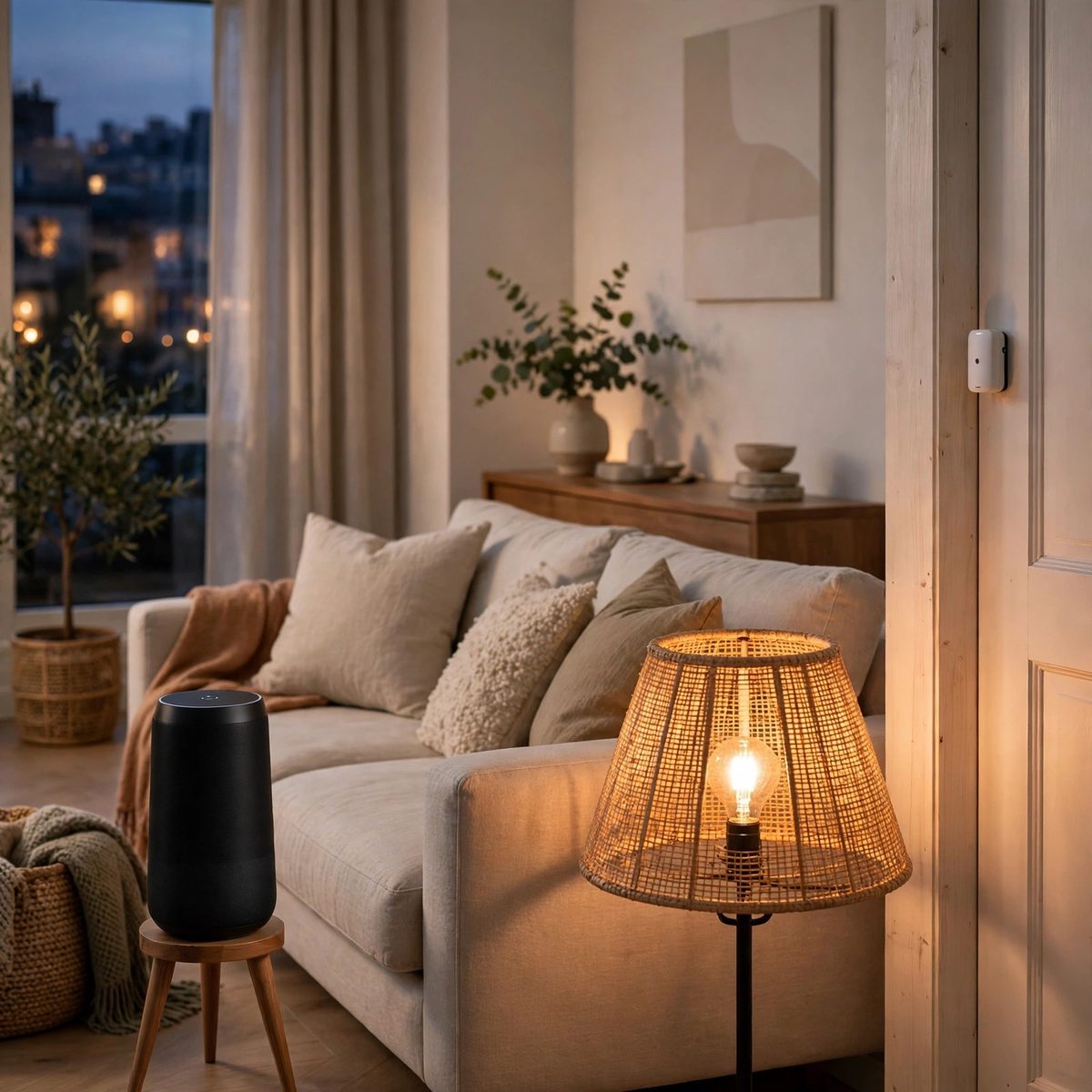
Smart home gadgets can feel like a big project — hubs, apps, voice assistants, compatibility lists. In practice, starting is much simpler than it sounds. A smart plug, a smart bulb and a door sensor need no wiring and no hub, and each one does something useful on its own. This guide explains how to start small, what each gadget does, and how to build up a setup that suits your home.
Start with one room, not the whole house
The most common mistake when starting a smart home is trying to do everything at once. Buying a dozen gadgets in one go means a dozen apps to set up, a dozen devices to name, and a dozen things to troubleshoot. A better approach is to pick one room — usually the living room or the bedroom — and add one or two gadgets there. Use them for a few weeks, see what helps, and then decide what to add next.
That slow start also helps you learn what matters to you. Some people love schedules and routines. Others just want to switch a lamp off from bed. Some want to know when a door opens. Your first gadgets will tell you which of those things you actually use, and that tells you what to buy next.
Smart plugs: the simplest first step
A smart plug is the easiest smart home gadget to start with. It sits between a wall outlet and an ordinary appliance — a lamp, a fan, a charger — and lets you switch that appliance on or off from your phone. It needs no wiring and no new appliances, because it works with the ones you already own.
The Everhome Tools Smart Plug, 2-Pack comes as a pair, so you can try it in two places at once. Setup is usually a few minutes: plug it in, download the companion app, follow the steps to connect it to your WiFi, and give it a clear name like "Living room lamp". Then plug your appliance in and test it from the app.
Once it is set up, a smart plug can run on a schedule. A lamp can come on at sunset and switch off at bedtime. A fan can run for an hour before you go to sleep. A charger can be switched off when you don't need it. Those small routines are where a smart plug earns its keep — not in the novelty of switching a light from your phone, but in the everyday convenience of things happening when they should.
Before you buy, check that the plug fits your outlets without covering a neighbouring socket, and that the outlet is within range of your WiFi router. Some plugs only connect to a 2.4 GHz network, so check your router's settings if the app can't find the plug during setup.
Smart bulbs: light you can control
A smart bulb replaces an ordinary bulb in a lamp or a ceiling fitting, and lets you switch it on or off from your phone, change its brightness, and — on some models — change its colour. Unlike a smart plug, which controls the power to a lamp, a smart bulb controls the light itself, so you can dim a lamp for the evening without a separate dimmer switch.
The BrightNest Smart Bulb, 4-Pack gives you four bulbs, which is enough to fit a room's main lamps in one go. Start with the room you use most in the evening. Set the bulbs to a comfortable brightness for reading or watching TV, and try a dimmer setting for winding down. If the bulbs support it, a warmer colour in the evening can make a room feel more relaxed.
Smart bulbs and smart plugs can work together, but you don't need both on the same lamp — one control is enough. Use a smart bulb where you want to change brightness or colour, and a smart plug where you want to control an appliance that isn't a light.
Door and window sensors: a quiet kind of awareness
A door and window sensor is a small device in two parts: one part sticks to the door or window frame, the other to the door or window itself. When the two parts separate — when the door opens — the sensor sends a notification to your phone. It is a simple idea, and it has a few practical uses.
The Glint & Glow Door and Window Sensor is a white two-part sensor that fits on most doors and windows. Put one on the front door if you want to know when someone arrives home, or on a back door if you want to know whether it was left open. A sensor on a child's bedroom window can alert you if it opens at night. A sensor on a garage door can tell you whether you remembered to close it.
Installation is usually a matter of sticking the two parts in place, following the spacing guidance in the instructions. Make sure the two parts line up when the door is closed, and test it a few times after you install it. If you move house or rearrange a room, most sensors can be removed and stuck in a new spot.
Stands and mounts: keeping devices tidy
As you add smart home gadgets, the devices themselves need homes. A smart speaker left on a crowded shelf is easy to knock over, and a camera sitting on a table takes up space and can be moved by accident. Stands and mounts keep devices in place and out of the way.
The Everhome Tools Smart Speaker Stand holds a speaker on a small shelf with a round base, so it sits neatly on a desk or a side table. The BrightNest WiFi Camera Wall Mount fixes a camera to a wall with an adjustable ball joint, so you can angle it to cover the room or the doorway you want to watch. Both are small additions, but they make a setup feel finished rather than improvised.
Choosing an app and a voice assistant
Most smart home gadgets come with their own app, and some also work with a voice assistant — a speaker or a phone assistant that lets you control devices by speaking. If you already use a voice assistant, check whether a gadget works with it before you buy. If you don't use one, the app on your phone is enough to start with.
It helps to keep the number of apps small. If you can, choose gadgets that use the same app or the same voice assistant, so you are not switching between five different apps to control five devices. That matters more as your setup grows: two apps is manageable, six is a chore.
Give every device a clear, simple name in the app — "Bedroom lamp", "Front door", "Hallway bulb". Names like "Device 1" and "Plug 2" are hard to remember, and they make voice commands confusing. A good name is the room plus the thing it controls, and nothing else.
Growing your setup over time
Once your first room works well, adding to it is straightforward. A second room gets a smart plug and a bulb. A sensor goes on the back door. A mount goes up for the camera you have been meaning to install. Each addition is small, and each one is useful on its own, so the setup grows at a pace that suits your home and your budget.
There are a few habits that keep a smart home running smoothly. Keep your router in a central spot so every device gets a good signal. Update the apps when they prompt you, because updates often fix connection problems. And if a device stops responding, try the simple steps first: check that it is plugged in, check the WiFi, unplug it for ten seconds and plug it back in.
A smart home doesn't need to be complicated or expensive. Start with a plug, a bulb and a sensor, use them for a few weeks, and let your experience decide what comes next. To see the range, visit the Smart Home Gadgets collection.
Browse the Smart Home Gadgets collection
← All articles · All guides · Gadget Size & Compatibility Guide