Smart Plug Guide: Setup and Everyday Uses
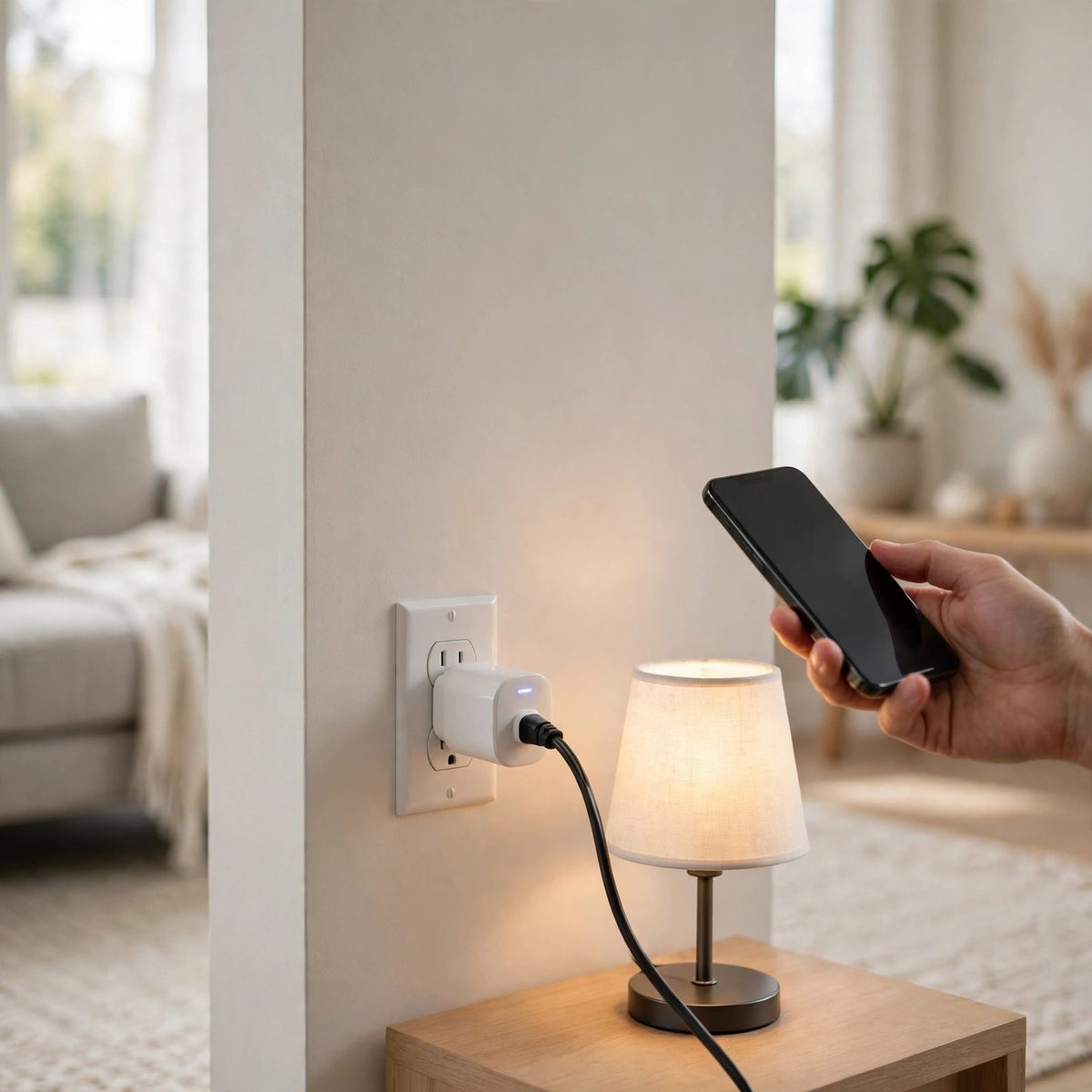
A smart plug is a small device that sits between a wall outlet and an ordinary appliance, and lets you switch that appliance on or off from your phone or with a voice command. It is one of the simplest ways to start with smart home gadgets, because it needs no wiring, no hub and no new appliances — it works with the lamps, fans and chargers you already own.
What a smart plug does
At its simplest, a smart plug turns a "dumb" appliance into one you can control remotely. Plug it into a wall outlet, plug a lamp or a fan into it, and you can switch that device on or off from an app. Many smart plugs also let you set schedules — for example, switching a lamp on at sunset and off at bedtime — so the appliance runs on a routine without you touching it.
The Everhome Tools Smart Plug, 2-Pack comes as a pair, so you can set up two devices at once — a lamp in the living room and a fan in the bedroom, for example. Because it is a two-pack, you can try it in two rooms and see which uses suit your household before deciding whether to add more.
Setting up a smart plug
Setup usually takes a few minutes. The general steps are the same for most plugs, but always follow the instructions that come with the product and the app it uses.
- Plug the smart plug into a wall outlet and check that its indicator light is on.
- Download the companion app on your phone and create an account if the app asks for one.
- Follow the app's steps to add the plug — this usually means holding the button on the plug until it flashes, then letting the app find it on your WiFi network.
- Give the plug a clear name, like "Living room lamp" or "Bedroom fan", so you can find it easily later.
- Plug your appliance into the smart plug and test it: switch it on and off from the app once to confirm it works.
If the app can't find the plug, check that your phone is on the same WiFi network, and that the plug is within range of your router. Some plugs only connect to a 2.4 GHz network, so if your router has separate network names for 2.4 GHz and 5 GHz, make sure your phone is on the 2.4 GHz one during setup.
Everyday uses around the home
Lamps
Lamps are the most common use for a smart plug. Put a lamp on a schedule so it comes on in the evening and goes off when you go to bed, or switch it off from your phone when you are already in bed. A lamp on a smart plug is also useful when you are away — a light that comes on in the evening makes a home look lived in.
Fans and heaters
A fan or a small heater on a smart plug can be switched on before you get home, or off when you leave, without walking to the device. Set a schedule so a fan runs for an hour before bedtime and then switches off, or so a heater warms a room in the morning. Always check the appliance's own instructions before connecting it, and never leave a heater running unattended for long periods.
Chargers and small appliances
Phone chargers, coffee makers and other small appliances can sit on a smart plug so you can cut their power when you don't need them. A charger that is always plugged in still draws a small amount of power, and switching it off at the plug is a simple way to stop that. A coffee maker on a timer can start brewing at the same time each morning.
Holiday and away-from-home use
When you are away from home, a smart plug lets you switch lights on and off from anywhere, which can make a house look occupied. Set a schedule that matches your usual evening routine, and vary it slightly if the app allows it, so the pattern doesn't look automatic.
Smart plugs and other smart home gadgets
A smart plug works well on its own, but it also pairs naturally with other smart home gadgets. A BrightNest Smart Bulb, 4-Pack lets you change the brightness or colour of a light from your phone, while a plug controls whether the power is on at all. A Glint & Glow Door and Window Sensor can tell you when a door opens, which is useful if you want to know when someone arrives home. You can build a small smart home setup one gadget at a time, starting with the plugs and adding bulbs, sensors or mounts as you find uses for them.
If you want to mount a camera or a speaker, the BrightNest WiFi Camera Wall Mount and the Everhome Tools Smart Speaker Stand keep those devices in place and out of the way. Each one is a small addition that makes the setup tidier and easier to use.
Things to check before you buy
- Outlet fit: check that the plug won't cover a neighbouring socket, especially if your outlets are close together.
- WiFi: the plug needs a stable WiFi signal where it will sit. If the outlet is far from your router, the connection may drop.
- Appliance type: smart plugs suit lamps, fans and small appliances. Check the product page for the maximum load, and don't use one with appliances that draw more power than it is rated for.
- App: check which app the plug uses and whether it works with the voice assistant you already have, if you use one.
Troubleshooting common problems
If a plug stops responding, first check whether the appliance itself is switched on — a lamp with its own switch turned off won't light up even when the plug is on. Then check the WiFi connection: unplug the plug, wait ten seconds, plug it back in, and see if it reconnects. If the app still can't reach it, try removing the plug from the app and adding it again, following the setup steps from the start.
If a schedule doesn't run, check that the time zone in the app is correct and that the schedule is switched on. Some apps have separate toggles for the plug and for each schedule, so a schedule can be set up but left off by mistake.
To see the full range, visit the Smart Home Gadgets collection, where you'll find smart plugs, smart bulbs, sensors, stands and mounts.
Browse the Smart Home Gadgets collection
← All guides · All articles · Gadget Size & Compatibility Guide